Distributed Table and Cluster Function Rewrites for Provider Migration
Rewriting sort keys and shard logic prevents silent performance cliffs during OLAP migrations.
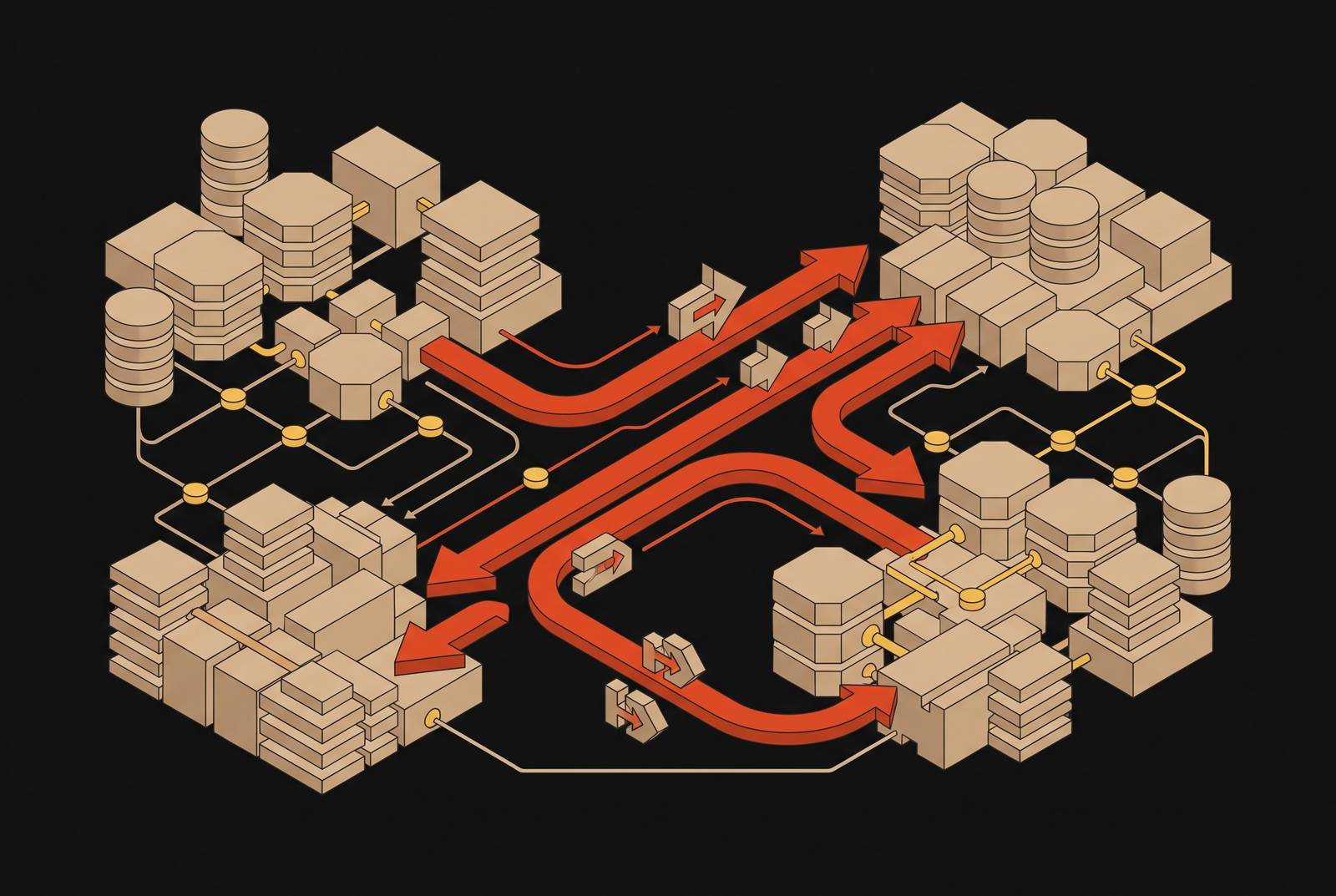
The plan always sounds simple at first: copy the data over, point the application at a new connection string, and call the migration done. That plan falls apart the moment anyone looks closely at what's actually stored inside a distributed OLAP schema. Shard keys, sort keys, distributed table wrappers, cluster function calls, and engine-specific DDL are written directly into the schema and the query logic, and no rule-based conversion tool reaches that layer. Table-and-column conversion has been a solved problem for years. The physical optimization logic underneath the migration stalls every migration, and the MergeTree engine family sits at the center of that problem: the ORDER BY clause fixes the physical sort order of data on disk, and a migration that doesn't carry that logic over will degrade query performance quietly, without throwing a single error. A query that filters on an ORDER BY column uses the sparse primary index to skip whole granules of data; a query on any other column runs a full scan instead. Get the sort key wrong during a migration, and every one of those fast lookups turns into a full scan, with the SQL itself running just fine. That's the real shape of the problem this piece works through: not data transfer, but a rewrite of the logic that made the original system fast.
The four rewrite categories engineers encounter
Four distinct categories of rewrite work appear in a distributed OLAP migration, and each one fails in its own quiet way when it's skipped or handled out of sequence. Sort key and primary key rewrites come first. The ORDER BY on a MergeTree table encodes the access pattern the whole engine is built around, and a wrong key still returns correct query results, just by scanning everything instead of skipping to the right granules. Shard key rewrites come next. The shard function decides how rows get physically spread across nodes, and a mismatched key either piles data unevenly onto a few shards or forces queries to scatter across every shard looking for rows that should have lived on one. Distributed table wrapper rewrites follow. That wrapper sits above the local MergeTree tables and encodes the cluster's topology and shard routing, and it has to be rebuilt to match the new provider's naming conventions and cluster layout. Finally, cluster() function call rewrites: any query that names a cluster directly or calls a remote table function is wired to the source provider's infrastructure, and on the target it either fails outright or, worse, keeps quietly querying the wrong nodes. These four categories give a migration team a map of the actual work ahead. What comes next is the order to do it in, because doing these four things in the wrong sequence is where migrations quietly go wrong.
Rewrite order
A rewrite done out of sequence doesn't usually throw an error; it just makes the new system slower in ways nobody notices until production traffic hits it. Rebuild the distributed table wrapper before the local MergeTree engines underneath it have been validated on the target, and the wrapper will route writes correctly while those writes land in tables that are structured wrong. The query plan looks fine. The data underneath it doesn't match what the schema promised.
A Databend pull request addressing an ALTER TABLE... MODIFY COLUMN case shows how this plays out inside a real execution plan. The rewrite plan placed DistributedInsertSelect above the top Merge exchange, so only the scan step ran across every node, while schema conversion, block building, and the append itself all ran on a single coordinator node, shipping every row there before writing anything. The fix moved DistributedInsertSelect below the Merge step, so each node converts and writes its own blocks instead of funneling everything through one machine. The lesson for migration engineers: plan placement in the execution graph is as consequential as the DDL itself, and a structurally correct rewrite can still centralize all write work on one node if the logical plan is assembled in the wrong order.
Clustering key changes carry a related trap, and it has nothing to do with execution plans. Running an ALTER TABLE with a new clustering key doesn't touch existing data at all. New writes use the new key immediately, ordinary OPTIMIZE runs apply the new layout incrementally as files come up for merging, and a full reclustering of every historical file only happens with an explicit OPTIMIZE FULL. That means performance after a migration isn't one number, it's two: new data performs correctly right away, while historical data only catches up once it's been explicitly reclustered or has naturally cycled through enough merges. A team that benchmarks right after migration, before that reclustering has happened, is measuring a system that hasn't finished becoming itself yet.
Executing sort key and shard key rewrites in the right sequence
Sort key selection has to be locked down before any shard key or distributed table work starts, because the sort key defines the access pattern that the rest of the distributed layer gets built around. Start by auditing the query workload on the source provider: find out which columns show up most often in WHERE clauses and which aggregations run the most, since those columns become the sort key candidates on the new system. On MergeTree engines specifically, the sparse primary index only skips granules for columns that appear in the ORDER BY, and everything outside that key gets a full scan regardless, so a sort key that worked well under the source provider's granule size and merge behavior won't necessarily carry that performance over to the target.
Shard key selection comes after the sort key is settled. The shard function needs to spread data evenly across nodes while lining up with the filter columns that queries actually use most, because a shard key that misses those filters forces a scatter-gather query across every shard, every time.
Making both of these changes safely on a table that's already serving live traffic calls for the expand-contract pattern, and the reason it works comes down to how distributed clusters behave mid-rollout: nodes can be running different binary versions at the same time during a rolling update, so the schema change has to be decoupled from the application deploy rather than tied to it. The pattern runs in four phases. First, add the new column or structure without touching the old one. Second, have the application write to both the old and new structures at once. Third, backfill the existing data into the new structure. Fourth, once everything's validated, drop the old structure. The backfill step carries the real operational risk on large tables: an index backfill on a 500GB table spread across many nodes can run for hours, so that backfill needs to be throttled to keep it from drowning out foreground traffic while it runs.
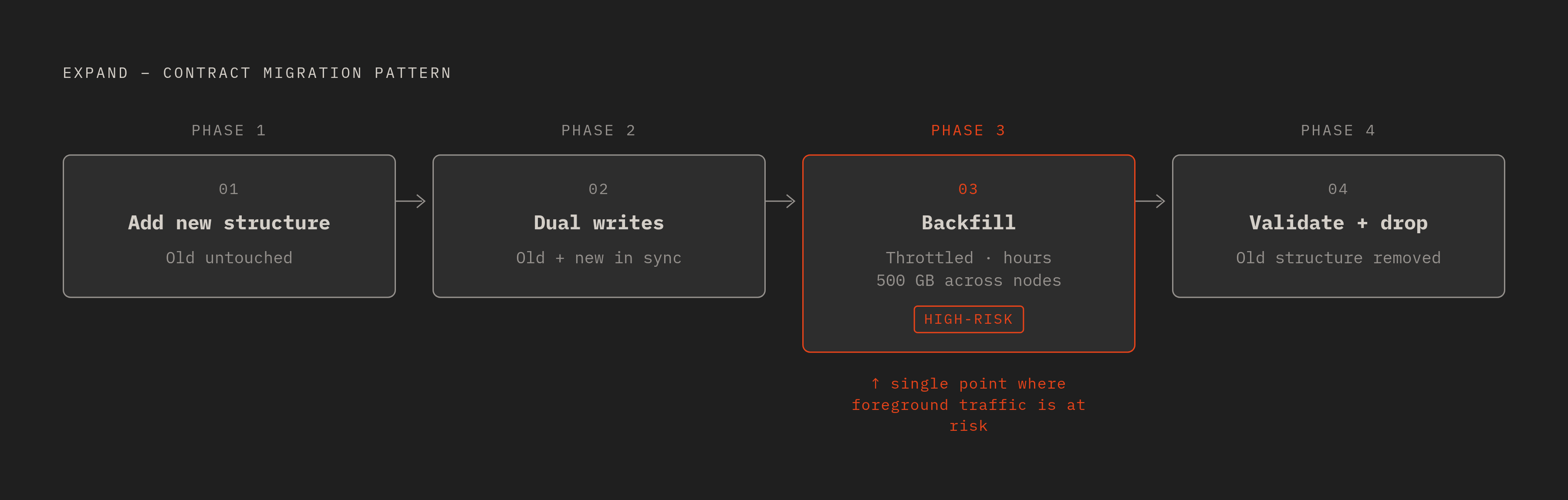
How distributed DDL propagates across nodes
Schema changes on a distributed cluster don't flip into place all at once. They propagate through a multi-phase versioning protocol. A migration that looks finished from the coordinator's point of view may still have nodes out there running the old schema. The underlying mechanism is schema versioning: a new schema gets introduced gradually, nodes are allowed to run on different versions at the same time for a while, and a protocol built on work that traces back to Google Spanner keeps no more than two schema versions active across the cluster at once. A typical online ADD COLUMN works through this in three stages: DELETE-ONLY, then DELETE-AND-WRITE-ONLY, then PUBLIC. Nodes that haven't picked up the change yet keep running on the prior version the whole time, and the protocol is what guarantees both versions stay correct simultaneously.
Column type changes are where this machinery gets tested hardest. Every major distributed database has put real engineering effort into non-blocking DDL, and column type changes are still painful across nearly all of them, which is exactly the point where MergeTree sort key changes turn into expensive rewrites rather than quick edits. A node restart mid-migration can leave a schema change stuck in an intermediate state. Knowing how to check the status of a resumable schema change job and resume it, rather than restarting the whole thing from scratch, matters more than it might seem at first glance when a migration window is already tight.
Concurrent DDL against the same table is another common way this goes wrong. Some systems only allow one DDL owner per table at a time, so running overlapping migrations against the same table during a provider switch can leave DDL stuck or conflicting, and clearing that up usually takes manual cancellation. None of this is a flaw unique to any one vendor's distributed database. It's the operational cost of running schema changes across dozens of nodes instead of one, and planning for it ahead of time is cheaper than discovering it during a migration window.
Rebuilding distributed table wrappers and rewriting cluster() calls
Distributed table wrappers and cluster() calls look like configuration on the surface, something to update once and forget. They behave like query logic instead, because they decide where a query actually goes to find its data, and getting them wrong doesn't throw an error so much as send traffic to the wrong place quietly.
A distributed table wrapper has to be rebuilt to reflect the target provider's cluster name, the local table name on each shard, the shard key expression, and the replica count. Copy one over from the source provider without changes, and it will compile without complaint while routing to nodes that don't exist or aren't configured the way the wrapper assumes. Before migration starts, every cluster() call across the environment needs to be found and listed out: in ad-hoc queries, in scheduled jobs, inside materialized view definitions, and buried in application code. Missing one lets a query keep silently reading from the source cluster long after cutover.
Don't assume the target's cluster naming convention lines up with the source closely enough for a simple find-and-replace. Confirm that the replacement cluster name actually resolves and that the tables it points to exist, with the expected schema, on every node. Remote table functions that hardcode a source hostname instead of a cluster alias create a particularly dangerous version of this problem: they keep returning data from the source system after cutover, which can hide a failed migration for hours or days if the source cluster is still running during the transition.
Materialized views deserve their own separate pass through this process. A view definition that contains a cluster() call or a distributed table reference needs to be dropped and recreated against the target, not just patched, because the underlying table being swapped out doesn't update the view that was built on top of it. This is the artifact most migrations miss entirely, and it shows up once someone starts checking the physical layout underneath the query results. Validation has to go there next.
Validating physical data layout after rewrites, not just query correctness
A migration that returns the right answers to every test query isn't automatically a successful migration. If the sort key, shard key, or clustering is off, the resulting performance regression becomes visible only when production load hits it, well after the validation window has already closed.
Validating physical layout means checking that data on each shard is actually sorted in the expected ORDER BY sequence, that granule skipping is happening on the columns queries filter by most, and that shards are balanced against each other. None of that is visible by looking at query output alone. The incremental clustering behavior described earlier turns historical data into its own separate validation target: new writes land with the correct key right away, but older files keep their old layout until they've been explicitly reclustered. Running a performance benchmark on a freshly migrated table with little history behind it won't reflect how the system performs once it's actually carrying a full production history.
Run the same workload against source and target, on the same volume of data, before cutover happens. Schema analysis and adaptation exist to make sure query and transaction behavior on the new distributed platform matches what the old one delivered, so the benchmark needs to be the real production workload, not a synthetic stand-in built to look favorable. Test identical workloads, identical data volumes, and identical cluster configurations. A benchmark that cherry-picks easy queries or runs against a smaller dataset than production pushes that risk downstream into production itself. Keep an eye on backfills running during this window too: a long backfill consuming heavy I/O can produce latency spikes that trigger cascading timeouts in validation queries running at the same time, so throttling the backfill and scheduling validation for a quieter window both matter.
One more traffic pattern deserves its own validation pass: agentic workloads. Agents probe data in bursts, running parallel and exploratory queries that look nothing like the steady rhythm of a dashboard refresh or a scheduled batch job, and a schema built around human query patterns needs to be checked against this shape of traffic too, not just the queries that shaped the original design. Isolated, read-only compute for agent queries during validation keeps that exploration from contaminating the performance signal coming from production-representative workloads running alongside it. Full query logging through the validation period makes it possible to go back and check what an agent queried, and whether those queries actually hit the indexes and sort key ranges they were supposed to. A migration that passes every one of these checks is one that holds up once real traffic, human or otherwise, starts hitting it at full volume.